SpicyGen AI: top NSFW video and image generator
Tired of static images that fail to capture the raw energy of your creative vision? This guide explores how spicygen ai transforms simple photos into ultra-realistic 1080P animations with just a few text prompts. You will discover how to master high-definition character generation and unlock commercial rights to build a unique digital library that truly comes alive.
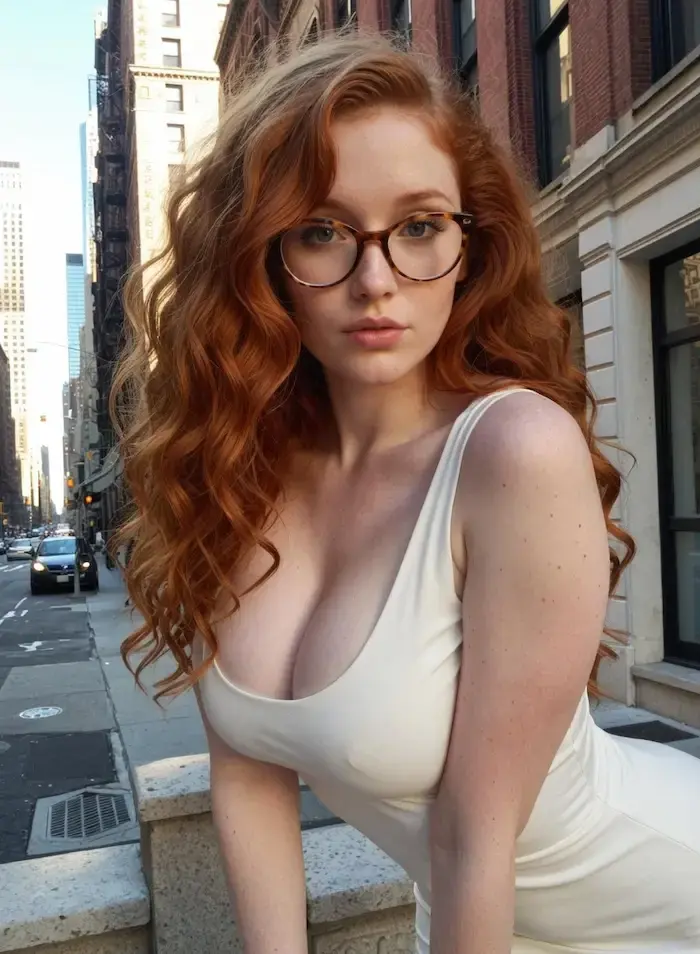
How SpicyGen works without the fluff
Forget those overly complex AI tools that require a PhD in engineering. SpicyGen keeps things remarkably simple. You just upload your chosen image or type a specific prompt into the box. Then, the engine takes over the heavy rendering.
Speed is the name of the game here. You won't be stuck waiting hours for a single clip. It actually takes just seconds to see your vision come to life right on your screen.
The dashboard is incredibly intuitive for any newcomer. No coding or deep technical knowledge is needed to navigate the interface. Anyone can start building their ideal digital character immediately without hitting a wall.
Everything runs entirely in the cloud. You don't need a massive, expensive GPU to run this software on your own machine.
The output quality is where it really shines. The videos are sharp at 1080P, and the movements look surprisingly fluid. It feels like having a professional studio tool sitting right in your hands.
You get total creative freedom with every generation. You set the rules for the animation, and the AI follows them precisely.
SpicyGen strips away the technical barriers, allowing users to focus purely on the creative spark of building their dream digital companions.
Transform your photos into 1080P videos
Join over 500,000 creators already using SpicyGen AI to bring their digital characters to life.
Try SpicyGen AI nowCore features of SpicyGen AI
Now that you see how simple it is, let's look at the specific tools that make this engine roar.
Image to video animation
Turning a flat photo into a 10-second 1080P clip is the main draw. The AI analyzes the face and limbs. It then adds realistic motion that looks natural. This process requires zero technical animation skills from the user.
Facial expressions are the hardest part to get right. SpicyGen handles smiles and blinks with ease. Your character actually feels alive rather than static. The micro-expressions add a layer of realism that is hard to find elsewhere.

Body movements follow the same logic. The AI predicts how a person would move in that specific pose. It creates a seamless loop for your viewing. This ensures the motion feels fluid rather than robotic or glitchy.
You can adjust the intensity of the motion. Some scenes need subtle movement while others need more. You simply describe the action, like dancing or walking, and the AI executes the movement based on your prompt.
10-second duration
1080P high definition
Facial expression mapping
Natural body swaying

High-resolution character generation
If you don't have an image, just type it out. The text-to-image tool creates hyper-realistic humans or anime styles. It is built for variety and high detail. You can build your dream character from scratch using simple descriptive words.
Everything produced is 100% synthetic. These are CGI creations, not real people. This keeps the ethics clear while giving you total control. The platform strictly mandates that all characters must be depicted as 18 years or older.
The resolution is crisp enough for any screen. You won't see those weird AI artifacts common in lower-tier tools. The skin textures look incredibly real. This high-fidelity output is what separates a professional tool from a basic toy.
You can choose between different art styles. Whether you want 3D realism or hand-drawn anime, it works. The flexibility allows creators to switch between western photographic styles and classic eastern animation aesthetics without changing platforms.
The lighting in these generations is a standout. Shadows fall where they should. It adds a layer of depth that most competitors miss. This attention to environmental detail makes the synthetic characters pop against their backgrounds.
Commercial rights and privacy
You own what you create here. This means you can monetize your videos on various platforms. There are no hidden royalty fees to worry about. This is a massive win for creators looking to build a brand.
Privacy is a big deal for the developers. They have a strict zero-deepfake policy. You cannot use images of real people on this platform. Attempting to upload real photos can lead to immediate account suspension to protect safety.
This protects the community and the creators. It ensures the tool is used for original art. Your data remains secure and private. The system uses PCI-compliant processors so your payment details never touch their servers.
The terms of service are straightforward. They don't hide behind legal jargon that confuses users. Everything is laid out clearly regarding what is allowed and what will get you banned from the 500,000-user community.
By enforcing a strict CGI-only rule, SpicyGen ensures that every creation is a unique piece of digital art, free from the legal mess of deepfakes.
How to use SpicyGen AI like a pro
Having these features is great, but knowing how to wield them is where the magic happens.
Start by defining your character's vibe. Are they energetic or calm? This choice dictates how you will prompt the AI. Use specific adjectives to get the best results.
Uploading a clear base image helps. The AI needs a solid foundation to animate correctly. Avoid blurry or low-light photos for the best outcome.
Experiment with the motion sliders. Small changes can make a huge difference in the final clip. Don't be afraid to try multiple versions of one scene.
Use the preview feature often. It saves you from wasting credits on a video that isn't perfect.
Combine the image generator with the video tool. Create the perfect face first, then animate it. This two-step process yields the highest quality.
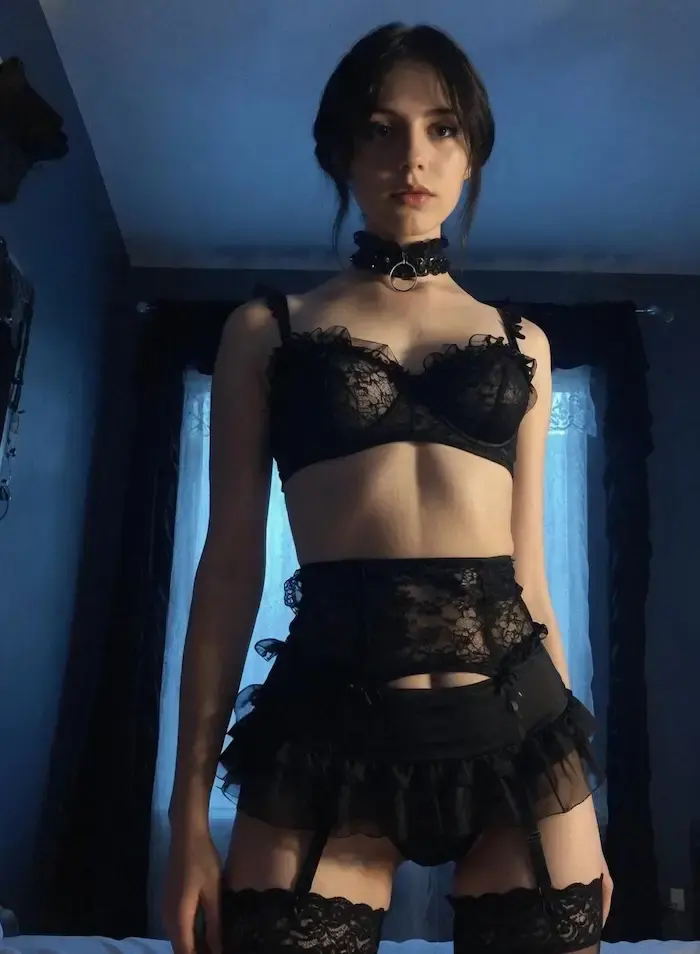
| Step | Action | Pro Tip |
|---|---|---|
| Image Selection | Upload high-res JPG/PNG | Avoid real people to prevent bans. |
| Motion Tuning | Adjust movement sliders | Subtle micro-expressions look more realistic. |
| Style Choice | Select Realistic or Anime | Match the prompt to the visual style. |
| Final Export | Generate 1080P video | Check the 10s clip before commercial use. |
Think about the background of your video. A clean background makes the character pop. It also makes the animation look much smoother.
Keep your prompts concise. The AI responds better to direct commands. Avoid long, rambling sentences that might confuse the generator.
3 steps to create your dream girlfriend
If you are here for the dream girlfriend experience, here is the exact roadmap to follow.
Generate the base character
Use the text-to-image tool to describe her features. Be specific about hair color, eye shape, and clothing style. This initial prompt defines your synthetic companion's entire look.

Apply the motion engine
Once you have the perfect image, hit the animate button. Choose a motion style that fits her personality. The AI then processes the movements to bring your character to life.

Export in 1080P
Watch the generated clip and tweak the settings if needed. Download the high-definition version once you are satisfied. You now have a 1080P video of your custom creation.

It really is that simple. You don't need to be an artist to get great results. The interface handles the heavy lifting.
Many users find that starting with a simple prompt works best. You can always add more detail later. The AI is flexible enough to handle iterative changes. This allows for constant improvement of your digital girlfriend.
The result is a personalized digital companion. She looks and moves exactly how you imagined. It is a powerful way to visualize your dreams. Every interaction feels unique and tailored to your tastes.
Remember to save your favorite prompts. This makes it easier to create consistent characters. Building a library is a smart move. It saves time and ensures your future generations stay high-quality.
Unlock your creative potential
Get access to the most advanced AI character animation engine. 70% off your first purchase.
Get 70% OFF nowVerified user reviews and feedback
Don't just take my word for it; let's see what the community is actually saying.
Most users praise the sheer realism of the faces. They often compare it to high-budget CGI films. The ease of use is another common theme in the reviews. It makes the whole process feel very natural.
Some people mention the credit system. They appreciate that credits don't expire quickly. It allows them to work at their own pace without pressure. No one likes feeling rushed.
A few users have noted the strict safety filters. While some find them tight, most agree it keeps the platform clean. It prevents the tool from being misused. Safety matters in this space.
The support team gets high marks too. They respond quickly to technical issues or billing questions. Having a human touch helps when things get technical.
The community feedback consistently highlights SpicyGen as a leader in realistic character animation, blending power with an incredibly low learning curve.
Long-term members enjoy the frequent updates. The developers seem to listen to what the users want. New features are added regularly to keep things fresh. It keeps the experience evolving constantly.
There is a sense of genuine excitement in the discord groups. People love sharing their latest creations. It is a vibrant place for digital artists. You really feel the creative energy there.
Overall, the sentiment is overwhelmingly positive. People feel they get good value for their money. It is a solid investment for creators. Most seem very happy with their choice.
Pricing and credit packages for SpicyGen AI
All this power comes at a cost, so let's break down the wallet impact.
Subscription and credit models
You can choose from several credit bundles. Prices start at $19.99 and go up to $149.99. This range fits both casual users and heavy creators. It is a straightforward way to manage your spending.
Starter Pack
$19.99
400 credits
Get startedPro Bundle
$49.99
2,000 credits
Get startedElite Package
$149.99
10,000 credits
Get started70% OFF
There is a massive 70% discount for your first purchase. This is a great way to test the waters. You get a lot of value upfront.
The checkout process is secure and fast. You can start using your credits almost instantly. There is no waiting around to start creating.
No recurring subscriptions are forced on you. You buy what you need when you need it. This flexibility is a huge plus for many. You avoid those annoying monthly bank drains.
Value assessment of the pricing
Each video generation costs about 50 credits. When you do the math, the cost per clip is very reasonable. It beats hiring a professional animator by a mile. The efficiency here is quite obvious.
The fact that credits don't expire is vital. You can sit on them for months. This is perfect for people who create in bursts. You never feel rushed to use them.
Compared to other AI video tools, SpicyGen is competitive. You aren't paying for features you don't use. The focus is purely on character quality. It keeps the overhead low for the user.
You get exactly what you pay for here. There are no hidden fees or surprise charges. Transparency is clearly a priority for the platform.
For the quality of 1080P video, the price is a steal. It allows hobbyists to produce professional-grade content. The ROI for creators is quite high. You can actually build a real portfolio without breaking the bank.
Technical and billing FAQ
Before we wrap up, let's clear up those nagging questions you might still have.
Many ask about the supported file formats. You can upload JPG or PNG files for the base. The output is a standard MP4 that works everywhere. It makes sharing your creations very simple.
What happens if a generation fails? The system usually refunds the credits automatically. You don't lose out due to a technical glitch. It keeps your balance fair and protected.
Is there a mobile app? Currently, it is a web-based platform optimized for mobile browsers. You can create on the go without an install. It works smoothly on most modern smartphones.
Billing is handled through major credit cards. The transactions are encrypted for your safety. Your financial data stays secure during every purchase.
Can you cancel a generation? Once the process starts, credits are locked in. Make sure your settings are right before hitting the button. Double-check your prompt every single time.
The FAQ section on their site is very detailed. It covers everything from browser compatibility to password resets. Most answers are just a click away. You will find help for almost any common issue.
How long does a video take to render? Usually, it is under a minute. It depends on the complexity of the motion requested. Most clips appear in your library very quickly.
Can I use the videos for commercial ads? Yes, as long as you have a paid package. You own the commercial rights to your creations. This is perfect for professional creators and marketers.
Are there any watermarks on the final videos? No, paid users get clean, high-resolution exports. Your content looks professional and ready for use. There are no distracting logos on your work.
If you get stuck, the help desk is helpful. They know the tool inside and out. Reach out via email for support.
FAQ
Turning your favorite photos into dynamic clips is incredibly simple with our Image-to-Video tool. First, upload a JPG or PNG file (under 10MB) to the dashboard. Then, write a short prompt describing the motion you want to see, such as a subtle smile or a specific body movement, and hit generate. Within about a minute, the AI renders a high-definition 1080P video.
If you don't have a starting image, don't worry! You can also use our text-to-image generator to create your dream character from scratch using descriptive prompts. Once you have the perfect look, you can animate her immediately to bring your vision to life.
Absolutely. SpicyGen AI is designed to help you visualize and animate your ideal digital companion. By using our hyper-realistic character generation, you can specify every detail from hair color and eye shape to specific clothing styles. The AI specializes in both realistic and anime styles, ensuring she looks exactly how you imagined.
Once the base character is generated, you can use the animation engine to add natural movements and facial expressions. This three-step process—generating the base, applying motion, and exporting in 1080P—allows you to build a personalized digital girlfriend with complete creative freedom.
We offer several flexible credit bundles to suit your creative needs without forcing you into a recurring subscription. You can start with the $19.99 Starter Pack (400 credits), move up to the $49.99 Pro Bundle (2,000 credits), or go for the $149.99 Elite Package (10,000 credits). Plus, new users can take advantage of a massive 70% discount on their first purchase.
Generating a high-quality video typically costs around 50 credits. The best part is that your credits never expire, so you can use them at your own pace. All payments are handled through secure, PCI-compliant processors to ensure your billing information stays safe.
Yes, you maintain the rights to monetize your creations. Whether you are posting on social platforms or using the clips for commercial ads, the content is yours to use as long as you have a paid package. Since all characters are 100% synthetic CGI, you don't have to worry about the legal complexities associated with using real human likenesses.
Furthermore, videos generated with credits are delivered without watermarks, giving them a professional finish. This makes SpicyGen an excellent tool for creators looking to produce high-quality, professional-grade digital art for their own business ventures.
We maintain a very strict zero-deepfake policy to protect our community and ensure ethical use of the platform. You are strictly prohibited from uploading photos of real people. Our system is designed to work exclusively with AI-generated or synthetic images to ensure all characters are fictional and at least 18 years old.
Attempting to use images of real individuals can lead to immediate account suspension. By enforcing this CGI-only rule, we ensure that every piece of content remains a unique work of digital art, free from the legal and ethical issues surrounding non-consensual deepfakes.
Unlock professional-grade 1080P animations and hyper-realistic synthetic characters with ease. By leveraging SpicyGen AI, you can instantly transform static visions into fluid, commercial-ready digital art. Start creating your dream companion today to experience the future of uncensored creative freedom before the next update.
Start creating with SpicyGen AI